3D & SimulationSurface Operators
Switch (Surface)
Passes one of several wired surface chains through, chosen by an Index you can animate or map.
The surface Switch node selects one of its wired branches. Set Index and only that branch continues; drive Index from a modifier or MIDI to cut between models live.
- Inputs grow as you wire them; one empty slot always waits
- Evaluate Branches decides whether hidden branches keep running
- Found in the node graph under Surfaces → Geometry
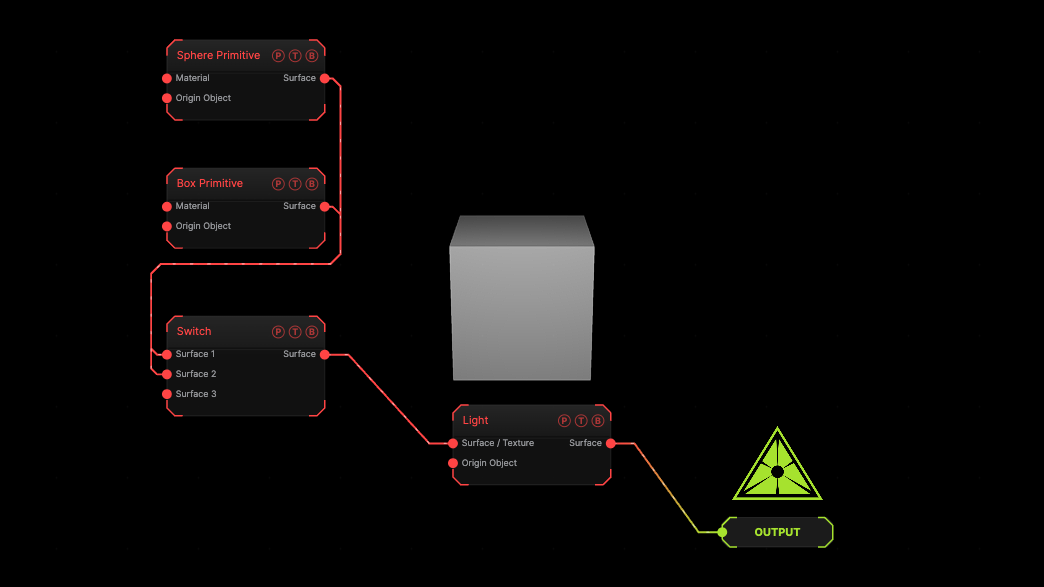
The image on the right is the example patch itself. Drag and drop it onto the app, or load it with File → Load, to open the full graph. A sphere and a box share one light; Index 1 shows the box.
Inputs and outputs
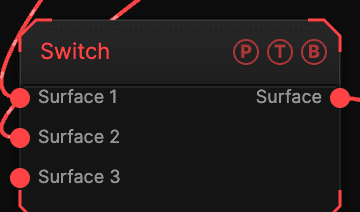
| Port | Type | Purpose |
|---|---|---|
| Surface 1, Surface 2, … | Surface | The candidate branches. Index 0 is Surface 1. |
| Surface | Surface | The selected branch. |
Parameters
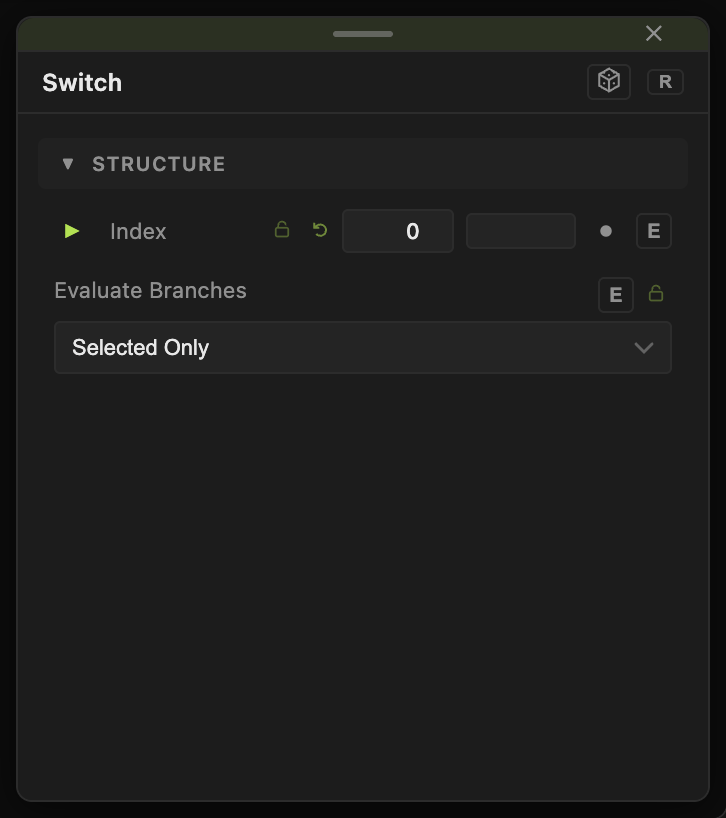
- Index (default 0) — which input passes through, counted from 0. It has a per-parameter animation bar.
- Evaluate Branches — Selected Only (default) or All Wired. With All Wired, every branch keeps evaluating, so a branch with a running simulation or a cached bake is ready the moment you select it.
Examples
Model bank — three loaded models into Surface 1 to 3, Index mapped to a MIDI knob through the MIDI modifier.
Troubleshooting
The selected branch takes a moment to appear — its topology bake was paused while hidden. Set Evaluate Branches to All Wired.
Index past the last wired input — the output is empty.