Auragen docs
Auragen docs

Getting Started

OverviewInterfaceNode GraphParameters and Controls

Operators

Surfaces

Geometry

PrimitiveMeshImage PlaneExtrude3D GraphReflectorKinect MeshMergeNullCopy GeometryRealizeSwitch (Surface)

Materials

MaterialGlass MaterialBlend MaterialsMapping

Deformers

Transform DeformerNoise DisplaceTexture DisplaceCurl NoiseTurbulence3D PlasmaTwistBendTaperShearWave / RippleRipple (Expanding)SineOcean WaveInflateSpherifyBulgeFlatten (Plain)PushQuantizeDistortion / GlitchBevelMirrorSliceCullColor RampParticle DeformerAudio (FFT)InfectionIsland ClonerCloth Deformer

Physics

Force Affector

Topology

SubdivideSmoothDecimateRemeshBooleanClose HolesExtrude FacesSeparate FacesWireframeFlip Polygons

Lighting

LightSpotlightDirectional LightArea LightEnvironment

Camera

CameraMulticamUV Camera
3D PreviewperformMODE
3D & SimulationSurface Operators

Extrude

Turns a Vectorizer's paths into an extruded mesh with bevels.

The Extrude node gives depth to vector outlines from the Vectorizer.
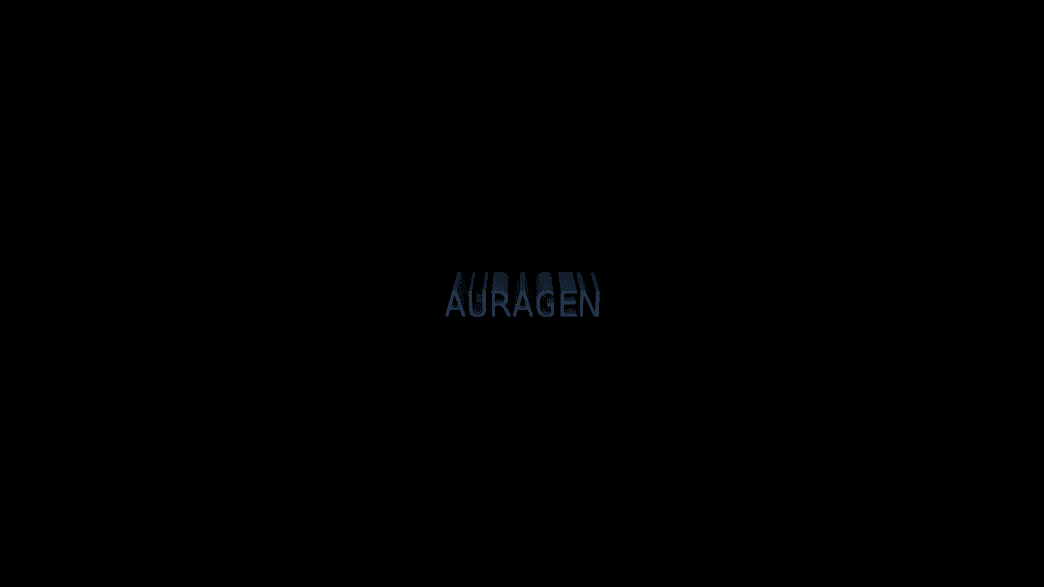
Extrude

  • Depth, Bevel, Curve Segments
  • Found in the node graph under Surfaces → Geometry
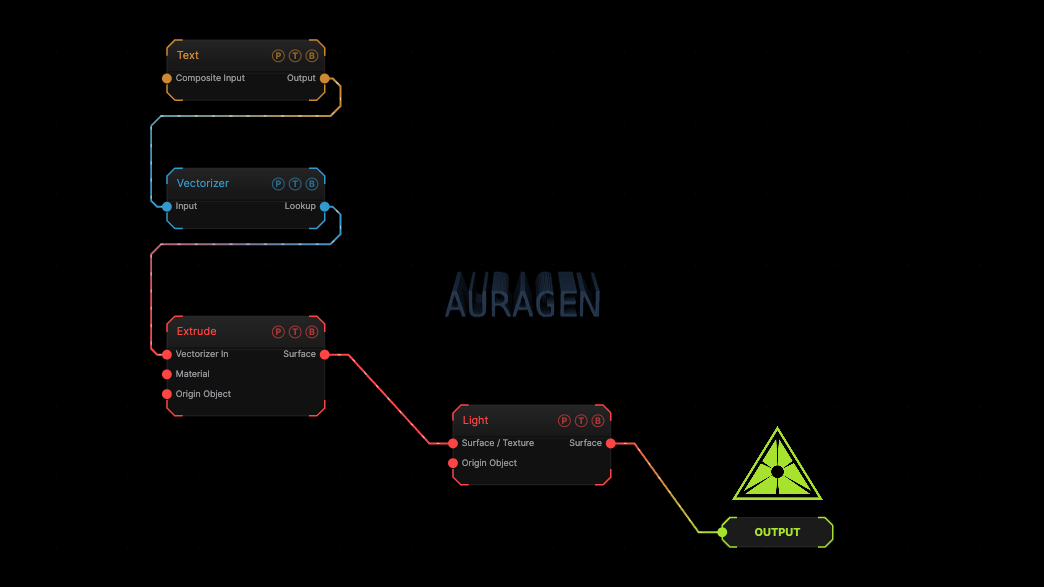
Example patch — drag onto the app to load

The image on the right is the example patch itself. Drag and drop it onto the app, or load it with File → Load, to open the full graph. A Text generator, vectorized and extruded.

Inputs and outputs
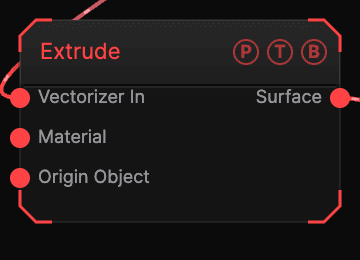
Extrude node

PortTypePurpose
Vectorizer InTextureThe Vectorizer output.
MaterialSurfaceA Material for the solid.
Origin ObjectSurfaceA Null to parent to.
SurfaceSurfaceThe extruded mesh.

Parameters

Extrude parameters

See the node panel for the full list: Depth, Bevel, and Curve Segments are the main controls, with the standard transform block.

Every slider has a per-parameter animation bar, so it can be animated, audio driven, or MIDI mapped.

Examples

3D logo — a Text generator into Vectorizer into Extrude, with a metal Material.

Troubleshooting

Nothing extrudes — the input must be a Vectorizer output, not a plain image.

Related

Vectorizer

The path source.

Mesh to SDF

Extrude output is bakeable.

Image Plane

Turns a texture into an aspect-correct plane in 3D, unlit by default, with sprite-sheet playback.

3D Graph

Rebuilds the node graph itself as extruded geometry with tube wires.

On this page

Inputs and outputsParametersExamplesTroubleshootingRelated