3D & SimulationCloners
Linear Cloner
Clones marched along a step vector, with an optional scale change per step.
The Linear Cloner repeats its source along a line. Each clone steps by Step X / Y / Z and can shrink or grow by Step Scale.

- Count and Step X / Y / Z
- Step Scale X / Y / Z for a tapering row
- Found in the node graph under Cloners → Cloners
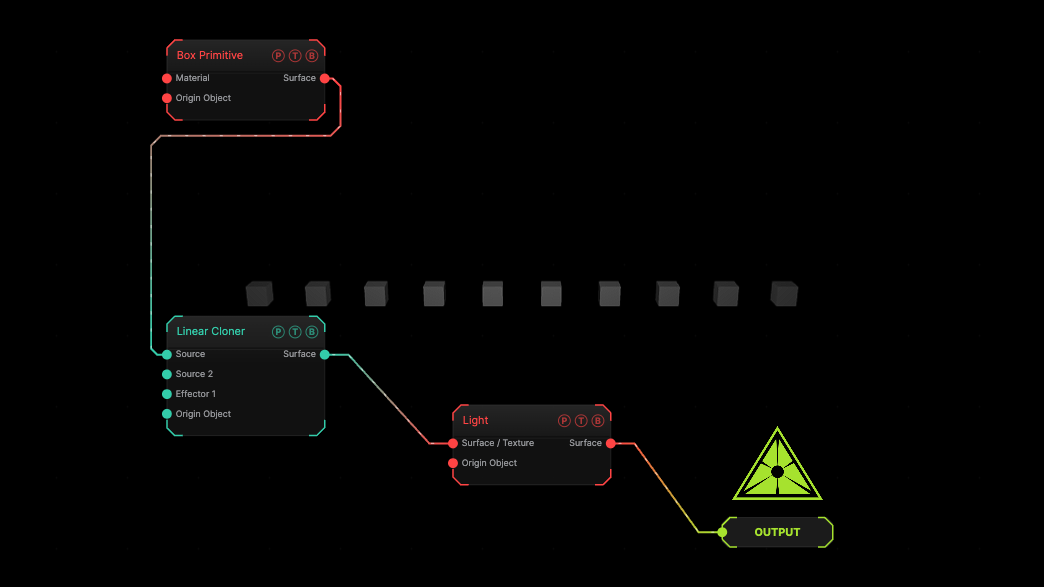
The image on the right is the example patch itself. Drag and drop it onto the app, or load it with File → Load, to open the full graph. Ten small boxes along X at the defaults.
Inputs and outputs
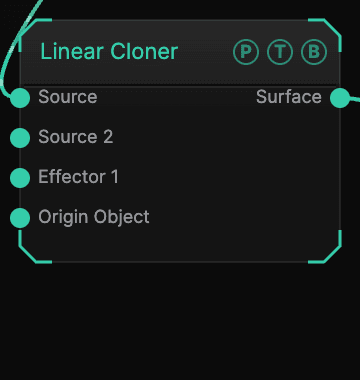
| Port | Type | Purpose |
|---|---|---|
| Source | Surface | The geometry to repeat. A texture here makes billboard quads. |
| Effector 1 … 4 | Effector | Cloner effectors; the four ports concatenate. |
| Origin Object | Surface | A Null to parent the array to. |
| Surface | Surface | The array. |
Parameters
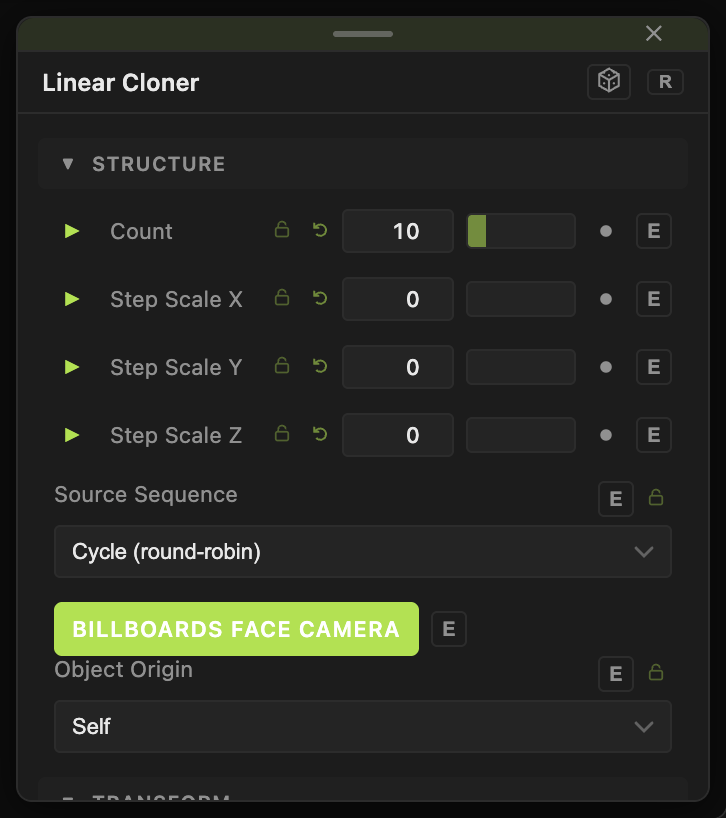
- Count (1 up to the instance budget, default 10).
- Step X / Y / Z (−20 to 20, default 1, 0, 0).
- Step Scale X / Y / Z (−1 to 1, default 0) — scale added per step.
Per-clone block
- Source Sequence — with several sources wired: Cycle (round-robin) (default), Blocks (even split), Random, Per Row, Per Column.
- Clone Scale X / Y / Z and Clone Uniform Scale (0.01–10, default 1), Clone Rotate Heading / Pitch / Roll (default 0).
- Billboards Face Camera (default on) — for texture sources.
- Position X / Y / Z, Rotate Heading / Pitch / Roll, Scale X / Y / Z, Uniform Scale — the array's own transform.
Every slider has a per-parameter animation bar, so it can be animated, audio driven, or MIDI mapped.
Examples
Staircase — Step X 0.5, Step Y 0.3.
Troubleshooting
Nothing renders. A cloner makes no geometry of its own. Wire a surface into Source.