3D & SimulationCloners
Image Cloner
One clone per bright cell of an image grid; brightness can drive depth and colour.
The Image Cloner samples a texture on a grid and places a clone wherever the cell is bright enough.

- Grid Resolution and Threshold
- Luminance Depth and Luminance Scale
- Use Pixel Color
- Found in the node graph under Cloners → Cloners
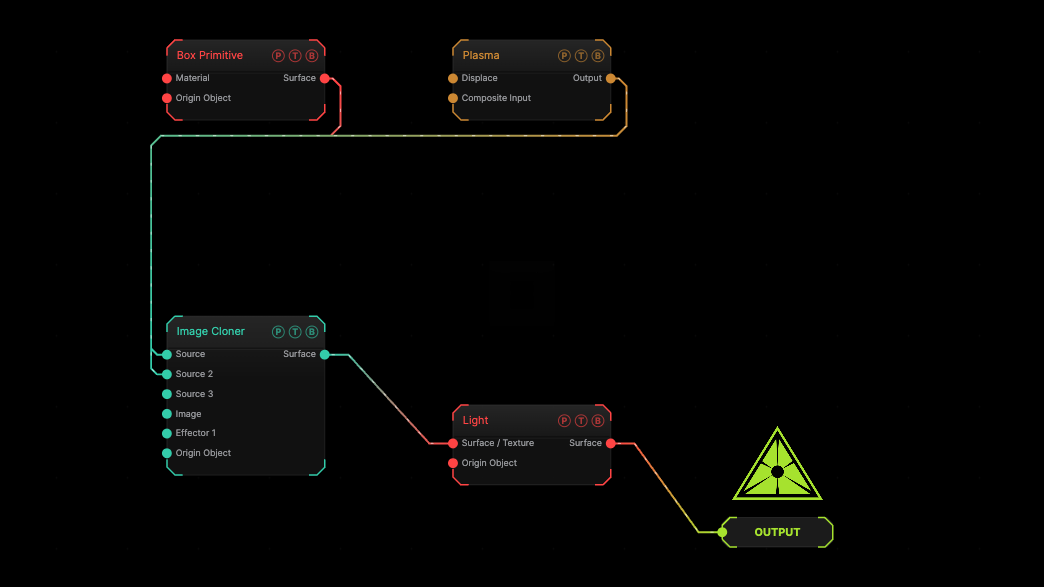
The image on the right is the example patch itself. Drag and drop it onto the app, or load it with File → Load, to open the full graph. A Plasma generator drives the grid.
Inputs and outputs
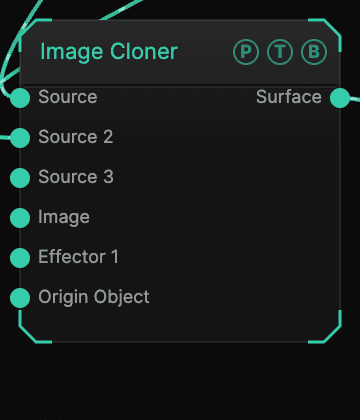
| Port | Type | Purpose |
|---|---|---|
| Source | Surface | The geometry to repeat. A texture here makes billboard quads. |
| Image | Texture | The picture to sample. |
| Effector 1 … 4 | Effector | Cloner effectors; the four ports concatenate. |
| Origin Object | Surface | A Null to parent the array to. |
| Surface | Surface | The array. |
Parameters
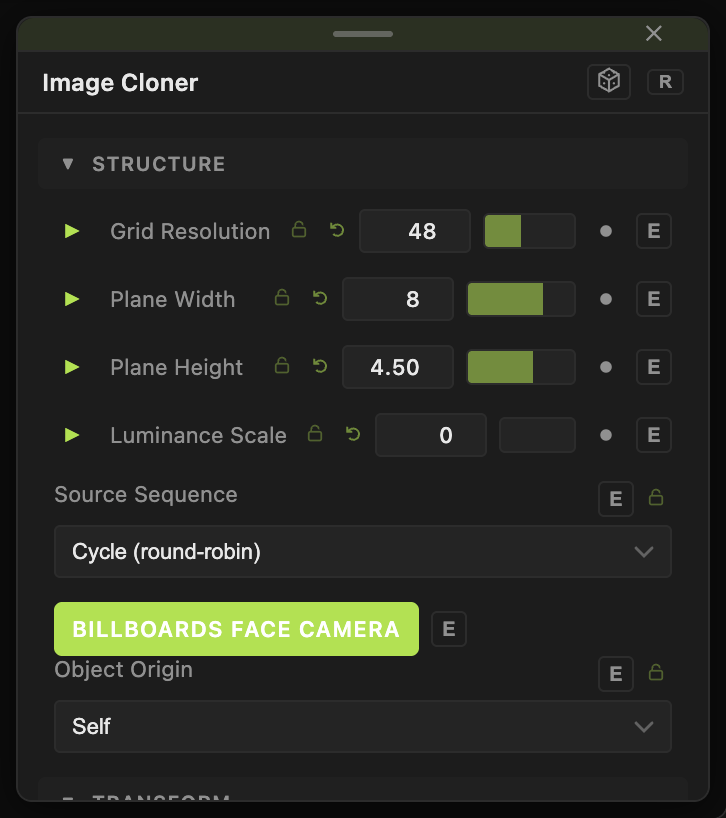
- Grid Resolution (4–112, default 48).
- Threshold (0–1, default 0.15).
- Plane Width (default 8), Plane Height (default 4.5).
- Luminance Depth (−20 to 20, default 0), Luminance Scale (0–1, default 0).
- Use Pixel Color (default on), Flip Y (default off).
Per-clone block
- Source Sequence — with several sources wired: Cycle (round-robin) (default), Blocks (even split), Random, Per Row, Per Column.
- Clone Scale X / Y / Z and Clone Uniform Scale (0.01–10, default 1), Clone Rotate Heading / Pitch / Roll (default 0).
- Billboards Face Camera (default on) — for texture sources.
- Position X / Y / Z, Rotate Heading / Pitch / Roll, Scale X / Y / Z, Uniform Scale — the array's own transform.
Every slider has a per-parameter animation bar, so it can be animated, audio driven, or MIDI mapped.
Examples
Relief map — a Topographic generator, Luminance Depth 3.
Troubleshooting
Too few clones — lower Threshold.