SDF Render
Raymarches an SDF tree into a texture — engine, quality, anti-aliasing, shadows, ambient occlusion, fog, volume mode, tone mapping, and a polygonized 3D Mesh output.
SDF Render is where an SDF chain becomes pixels. It takes the field, optional lights, camera, and environment, and outputs the beauty frame plus data passes and a real mesh.
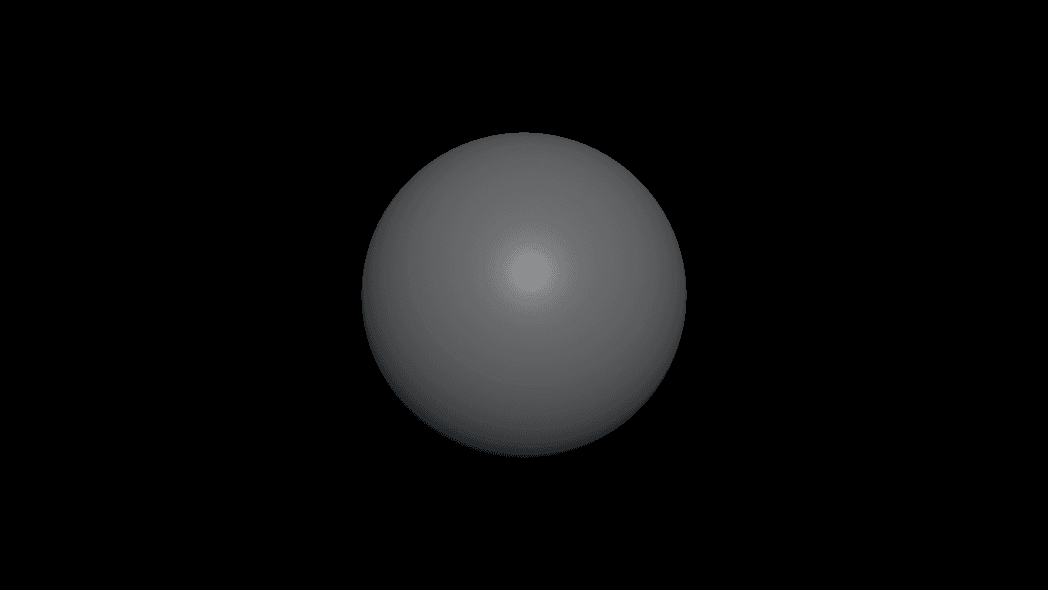
- Two engines: the Simple Renderer (default, compiles fast) and AuraEngine (every lighting feature)
- Feature groups that each open with a toggle: Anti-Aliasing, Soft Shadows, Ambient Occlusion, Specular, Distance Fog, Volume Mode
- Outputs Out, 3D Mesh, Depth, Normal, Object ID, Step Heat, World Pos
- Found under SDF → Render in the operators panel
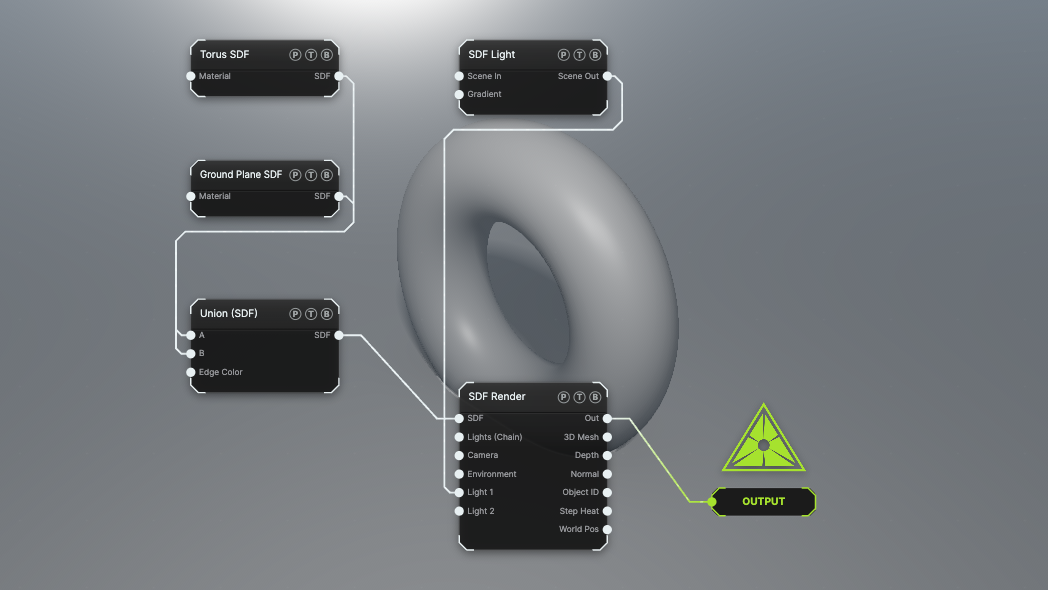
The image on the right is the example patch itself. Drag and drop it onto the app, or load it with File → Load, to open the full graph. A torus on a ground plane with AuraEngine, Soft Shadows, Ambient Occlusion, Distance Fog, and FXAA on.
Inputs and outputs
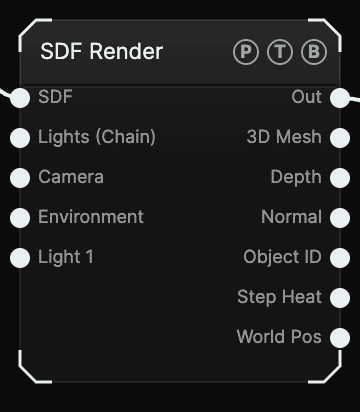
| Port | Type | Purpose |
|---|---|---|
| SDF | SDF | The field to march: a primitive, a Combine tree, or an Effector. |
| Lights (Chain) | Surface | A chain of lights or lighting-FX nodes. |
| Camera | SDF | An SDF Camera or SDF Multicam. Empty means the default view with viewport navigation. |
| Environment | Surface | An SDF Environment or the surface Environment node. Wins over an environment on the chain port. |
| Light 1, Light 2, … | Surface | One SDF Light or surface light per slot. A new empty slot appears when the last one is wired. |
| Out | Texture | The beauty frame. |
| 3D Mesh | Surface | The field polygonized into real geometry, for cloners, deformers, and materials. Only computed while wired. |
| Depth, Normal, Object ID, Step Heat, World Pos | Texture | Data passes, rendered only while wired. Step Heat shows how many march steps each pixel took. |
Parameters
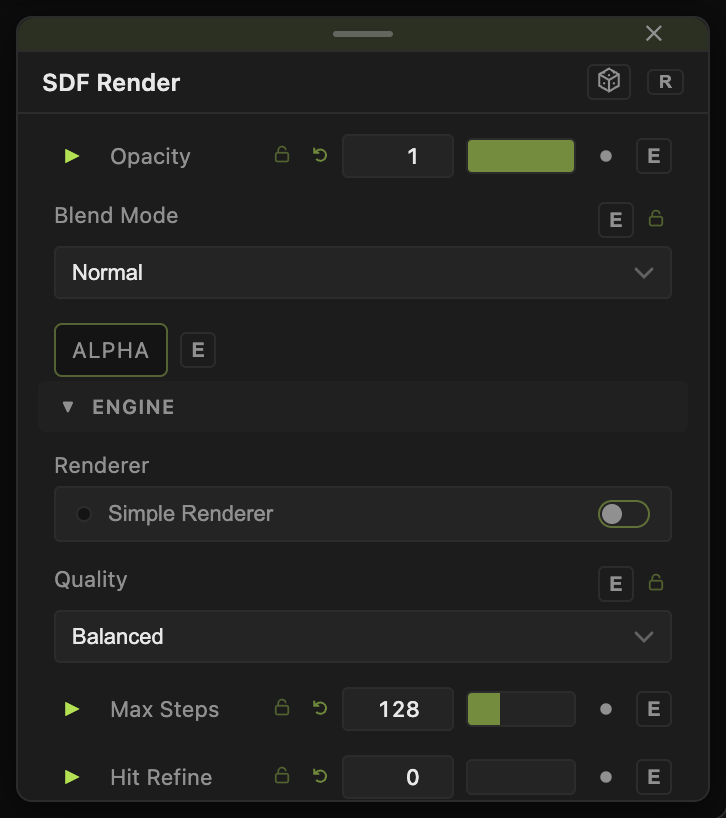
The node starts with the standard Opacity and Blend Mode header, then the groups below.
Engine
- Renderer — the engine lamp. Off (default) is the Simple Renderer: only the features you turn on are compiled, so patches open fast. On is AuraEngine: every lighting feature, hit refinement, and volumetric beam shafts in one program. Flipping it compiles a new program.
- Quality — Draft, Balanced (default), or Fine. Changes the step budget without a recompile.
- Max Steps (16–384, default 128), Max Distance (2–500, default 60), Precision (default 0.0015).
- Hit Refine (0–8, default 0) — extra refinement steps after a hit. Removes stepping on large flat surfaces at distance. Only active with AuraEngine on.
- March Damping (0.25–1, default 1) — shortens each march step. Lower it when repeat or warp effectors tear geometry.
- Normal Smoothing (0.25–8, default 1) — widens the normal sample. Raise it to melt faceting from repeat cells.
Feature groups
Each group opens with its toggle. The values stay visible but grey out while the toggle is off.
- Anti-Aliasing (default off) — AA Mode: FXAA (fast, one post pass), 2×2 Supersample, or 3×3 Supersample. Supersampling marches 4× or 9× the pixels; keep it for stills.
- Soft Shadows (default off) — Shadow Softness (2–64, default 12).
- Ambient Occlusion (default off) — SDF AO (0–1, default 0.7).
- Specular (default on) — whether highlights and environment sheen are compiled at all. Strength lives on materials.
- Distance Fog (default off) — Fog Color, Fog Density, Fog Start, Sky Fog, Height Falloff. Applied in linear light before tone mapping, so light glow dims through it.
- Volume (Cloud) (default off) — marches the field as a lit density cloud instead of a surface. Volume Density, Volume Softness, Volume Brightness, Volume Self-Shadow. Switching recompiles once.
Background & Tone, Default Light, Meshing, Default Material
- Tone Mapping — ACES Filmic (default), AgX, Neutral, or None (Linear). Background colour and Background Alpha (default 0, so the frame composites over whatever is below).
- Key Light (0–8, default 1.6), Key Color, Ambient, Ambient Intensity (default 0.35) — the rig used when no light is wired.
- Mesh Grid — 32³ to 128³ (default 48³), Mesh Bounds ± (default 2), Iso Offset, Mesh Update (Live or On Change), Generate UVs — the polygonizer behind the 3D Mesh output.
- Base Color, Metalness, Roughness, Specular — the material for shapes with no SDF Material wired.
Renderer, Volume (Cloud), and Specular cannot be exposed to performMODE or the timeline because they trigger a compile. Everything else with a slider has a per-parameter animation bar.
Examples
Fast preview — Renderer off, Quality Draft. Turn on Anti-Aliasing FXAA when the silhouettes shimmer.
Final still — Renderer on, Anti-Aliasing 3×3 Supersample, Soft Shadows and Ambient Occlusion on, Hit Refine 4.
Nebula — a Noise Field through SDF Convert (Field to Solid) into this node with Volume (Cloud) on, Volume Density 2.
Troubleshooting
Everything is dim — the default key light is weak. Wire an SDF Light into Light 1, or raise Key Light.
Shadows do not appear — the Soft Shadows toggle must be on. With the Simple Renderer that compiles the shadow code; with AuraEngine it is a live switch.
3D Mesh is slow — lower Mesh Grid or set Mesh Update to On Change. The polygonizer only runs while the port is wired.